Mad River (Segment 1) River Run
Community Reviews
Been here? Share the conditions.
Reviews, ratings & photos are added in the free Snoflo iOS app — rate a spot, tag the conditions, and your visit is verified by location. Add or manage your reviews from the app.
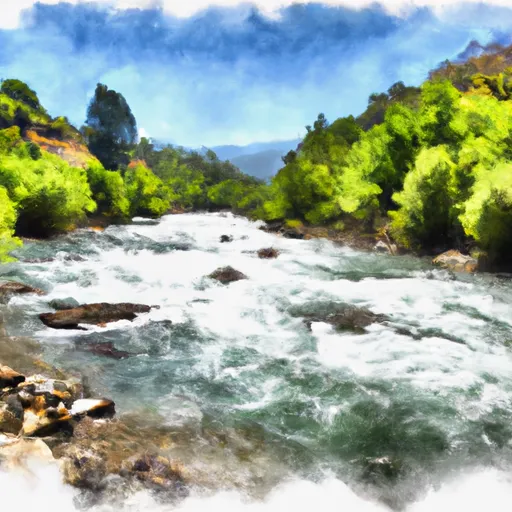
Mad River (Segment 1)
This segment of the Mad River is approximately 10 miles long and includes several challenging rapids and obstacles such as Pinball, Triple Threat, and Mergatroid. These rapids offer exciting and challenging experiences for adventurous rafters and kayakers.
In terms of regulations, the Mad River (Segment 1) is managed by the Bureau of Land Management and requires a permit to access. Additionally, the use of personal flotation devices (PFDs) is mandatory for all participants. It is also recommended that participants have proper safety equipment and experience in whitewater rafting.
Overall, the Mad River (Segment 1) provides a thrilling whitewater experience for those seeking a challenging adventure. It is important to follow all regulations and guidelines to ensure the safety of all participants.
Plan your run down to the hour
Same weather feed Snoflo's iOS app uses -- updated continuously from NOAA / yr.no. Watch the precipitation column on the meteogram; rain ahead of a run typically lifts flows 12-48 hours later depending on the basin.
Next 5 days, hour by hour
Temperature line with weather symbols on top, snow + rain accumulation as columns, humidity as a dotted line.
5-day forecast table
Every 3 hours, broken out across temperature, snow, rain, humidity, and wind. Each cell is colour-coded relative to the column min/max.
| Time | Condition | Temp (°F) | Snow (in) | Rain (in) | Humidity (%) | Wind (mps) | Wind dir |
|---|---|---|---|---|---|---|---|
| Loading detailed forecast… | |||||||
15-day temperature & precipitation
Daily temperatures, snow, and rain projected over the next two weeks -- the upstream story that drives next week's flows.
Regional streamflow levels
USGS streamgauges around Mad River (Segment 1) -- useful for spotting upstream pulses and gauging which tributary is contributing what.
| Streamgauge | Discharge | View |
|---|---|---|
| Van Duzen R Nr Bridgeville Ca | 5 cfs | → |
| Sf Trinity R Bl Hyampom Ca | 58 cfs | → |
| Redwood C Nr Blue Lake Ca | 3 cfs | → |
| Eel R A Scotia Ca | 82 cfs | → |
| Trinity R Nr Burnt Ranch Ca | 568 cfs | → |
| Mad R Nr Arcata Ca | 44 cfs | → |
Plan a longer trip
The closest boat launches, other paddle runs, and campgrounds so a day on the water can grow into a full weekend.
Other river runs
- Mad River (Segment 2)
- From The Old Town Site At Falk In Sec. 36, T4n, R1w, H.M. To To The Headwaters In Sec. 14 T3n, R1e, H.M.
- Salmon Creek
- Salmon Creek Trib
- Starts In Sec. 8 T3n, R1e, H.M. To Ends In Sec. 15, T3n, R1e, H.M
Campgrounds
Parks
Whitewater safety
- Check the flow before you run
- Use the linked-gauge card and Regional Flow panel above. Class ratings change with flow -- a Class III at low water can become Class IV+ at high water.
- Know your skill ceiling
- Pick runs comfortably below your ceiling. Cold-water and big-water runs raise the consequences of any mistake.
- Wear the right gear
- Helmet, PFD, drysuit / wetsuit when water is below 60°F. Throw bag, knife, and whistle on your person, not in the boat.
- Scout, set safety, and run with a team
- Scout new rapids on foot, set safety with throw bags above the consequence pool, and run with at least one other competent paddler.
- Respect the river
- Strainers, undercuts, low-head dams, and wood can kill at any class rating. When in doubt, portage.
Set push alerts in the Snoflo app
Save Mad River (Segment 1) as a favorite, set a discharge threshold (e.g. "alert me when flow hits 600 cfs"), and the iOS app pushes the moment the linked gauge crosses.
About Mad River (Segment 1)
What's the optimal flow for Mad River (Segment 1)?
The optimal flow depends on the section and the craft. Check the Run Details panel for the linked gauge and current status.
How fresh is the cfs reading on this page?
The linked USGS streamgauge reports continuously (every 15 minutes); Snoflo refreshes throughout the day. Hover the streamflow sparkline to read individual datapoints.
What's the whitewater class?
See the Run Details panel for the class rating Snoflo tracks for this run. Class ratings change with flow -- a Class III at low water can become Class IV in high water.
Where do I put in / take out?
Tap Directions in the hero above to open driving directions to the put-in. For shuttle planning, check the Nearby Boat Launches panel and the river run operator's site.
Can I get alerts when flows hit the optimal range?
Yes -- alerts are managed in the Snoflo iOS app. Favorite this run, set a discharge threshold, and you'll get a push the moment the gauge crosses.
Other runs near here
Snoflo-tracked paddle runs within driving distance of Mad River (Segment 1).